Escrow
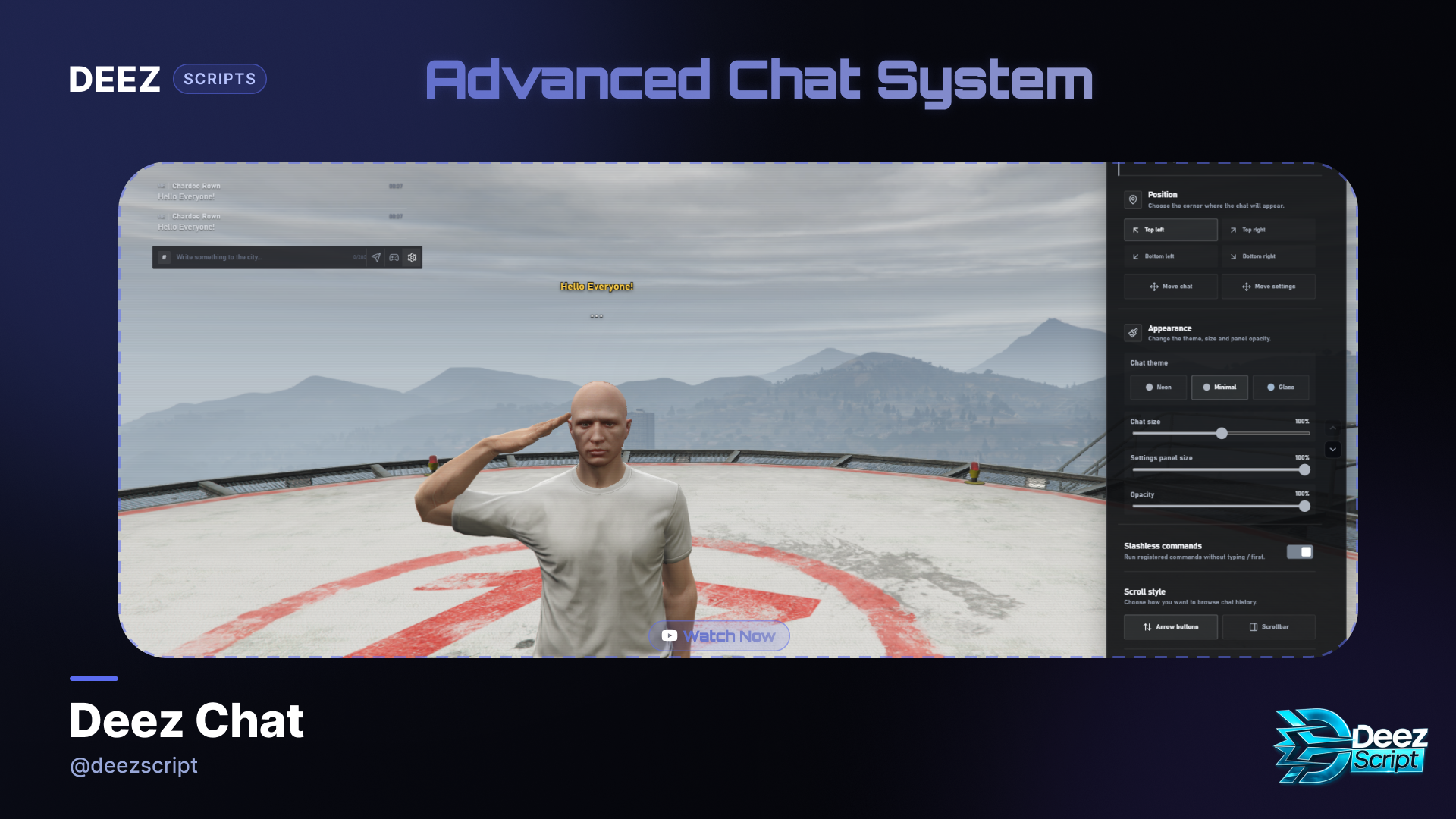
Deez Chat - Advanced FiveM Chat System
Description
Upgrade your server’s default chat with a modern, customizable, and roleplay-focused user interface.
**Deez Chat **is an advanced NUI chat resource for FiveM servers. It supports QBCore, Qbox, ESX, and standalone setups without any required framework dependency.
Players can personalize the chat interface, quickly access roleplay commands, receive intelligent command suggestions, submit reports, play integrated mini-games, and much more.
Main Features
-
Modern and performance-focused NUI
-
Three themes: Neon, Minimal, and Glass
-
Custom accent color
-
Adjustable chat position
-
Adjustable chat and settings panel scale
-
Configurable opacity
-
Optional sounds and notifications
-
Turkish and English localization
-
Player-specific interface preferences
-
Clean Lucide interface icons
Roleplay Chat
Includes the following built-in roleplay commands:
-
/me— Describes an action performed by your character -
/do— Describes a situation, environment, or result -
/gme— Sends an action while hiding the player’s name -
/gdo— Sends a situation while hiding the player’s name -
/ooc— Sends an out-of-character message
/me, /do, /gme, and /gdo messages are only delivered to nearby players. They are also displayed as colored 3D text above the character.
The RP distance, text duration, colors, and font sizes can be configured through config.lua.
3D Text and Typing Indicator
-
Automatic 3D text for nearby RP messages
-
Typing indicator above the player
-
Configurable display distance
-
Line-of-sight checks
-
Routing bucket support
-
Automatic stacking for multiple messages
-
Customizable colors, duration, and font sizes
Routing bucket and distance checks prevent players in separate instances from receiving each other’s local RP messages.
Intelligent Command System
-
Automatically detects registered server commands
-
Supports QBCore, Qbox, and ESX command metadata
-
Command descriptions and parameter suggestions
-
Keyboard-based command selection
-
Quick-action command bar
-
Optional slashless command execution
-
Support for commands registered by external resources
-
Safely forwards unknown commands to their original resources
-
Supports
chat:addSuggestionandchat:addSuggestions -
Includes events and exports for custom integrations
Integrated Mini-Games
Built-in chat mini-games include:
-
/diceor/zar— Rolls a number between 1 and 6 -
/rouletteor/rulet— Generates a red or black result -
/rpsor/tkm— Plays rock, paper, scissors -
Game menu accessible directly from the chat composer
-
Chat and 3D text results
-
Character animations for dice and roulette
-
Server-side result generation
-
Configurable game cooldown
Report and Staff Chat
-
/report [message]— Sends a report to online staff -
/reportr [id] [message]— Sends a private staff reply -
/a [message]— Staff-only chat -
Server-side permission validation
-
QBCore, Qbox, ESX, and ACE permission support
-
Confirmation messages for submitted reports
Chat Management
-
/clear— Clears the local player’s chat history -
/allclearchat— Clears chat history for every player -
Admin, god, ESX group, and ACE permission support
-
Optional player join and leave messages
-
Temporary notifications while the chat is closed
-
Full message history restored when the chat opens
-
Scroll buttons or scrollbar modes
-
Configurable maximum message length
-
Server-side spam protection and cooldown validation
Discord Webhook Logging
Separate webhook categories are available for:
-
/me,/do,/gme, and/gdo -
Mini-game results
-
Player chat setting changes
-
Reports and staff replies
Webhook logs can include the player name, server ID, license identifier, and Discord ID. Each category can be disabled individually by leaving its URL empty.
Compatibility
-
QBCore
-
Qbox
-
ESX
-
Standalone
-
ACE Permissions
-
OneSync and routing buckets
-
Standard
chat:addMessageevent -
Commands registered by other FiveM resources
When character names are enabled, the resource automatically retrieves them from the supported framework. It falls back to the player’s FiveM name when character data is unavailable.
Configuration
The open config.lua file allows you to customize:
-
Chat command and default keybind
-
Turkish or English language
-
Maximum message length
-
Message and mini-game cooldowns
-
Message colors
-
RP chat and 3D text distance
-
3D text duration and font sizes
-
Typing indicator
-
Character or FiveM display names
-
Hidden-author name
-
Join and leave messages
-
Sounds and notifications
-
Slashless commands
-
Scrolling style
-
Discord webhook URLs
-
Built-in and external commands
Installation
- Upload
deez-chatto your server’sresourcesdirectory. - Add the following line to
server.cfg:
ensure deez-chatv1
- If your configuration contains
resources_useSystemChat true, remove it or change it to:
resources_useSystemChat false
- Open the chat using the default
Tkey or the/chatcommand.
The resource automatically disables the default FiveM chat interface and works as a direct replacement.
Package Information
-
Ready-to-use FiveM resource
-
Pre-built NUI interface
-
Open and editable
config.lua -
Installation and command documentation
-
QBCore, Qbox, ESX, and standalone support
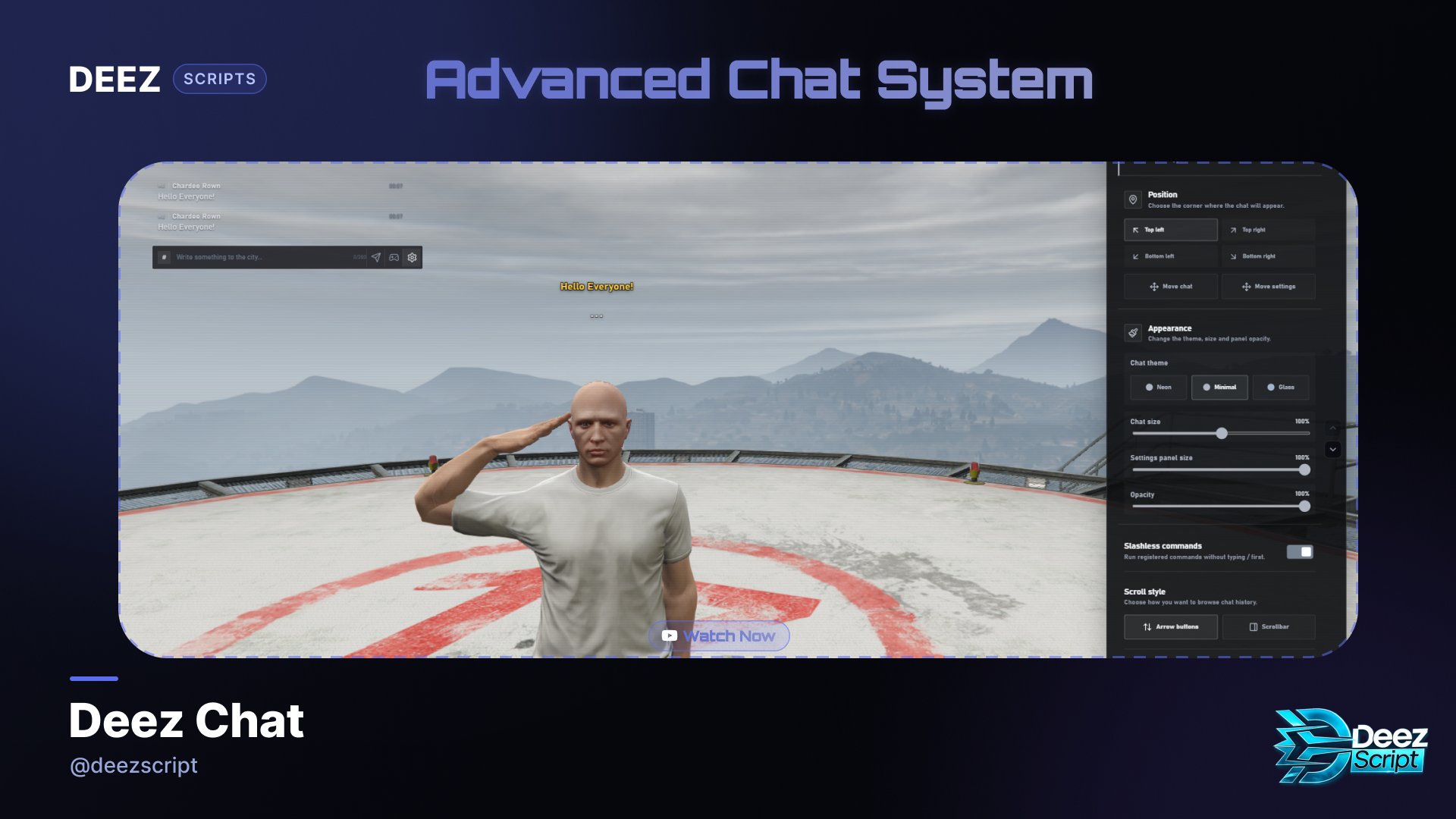
DEEZ Chat V1 – Monthly Subscription
DEEZ Chat V1 Monthly Subscription gives your FiveM server access to the modern and customizable DEEZ Chat V1 resource for one month.
The package includes access to the FiveM asset and all available product updates while your subscription remains active.
The subscription automatically renews every month. You can manage or cancel your subscription through your Tebex account at any time.
Important: This is a monthly subscription product.
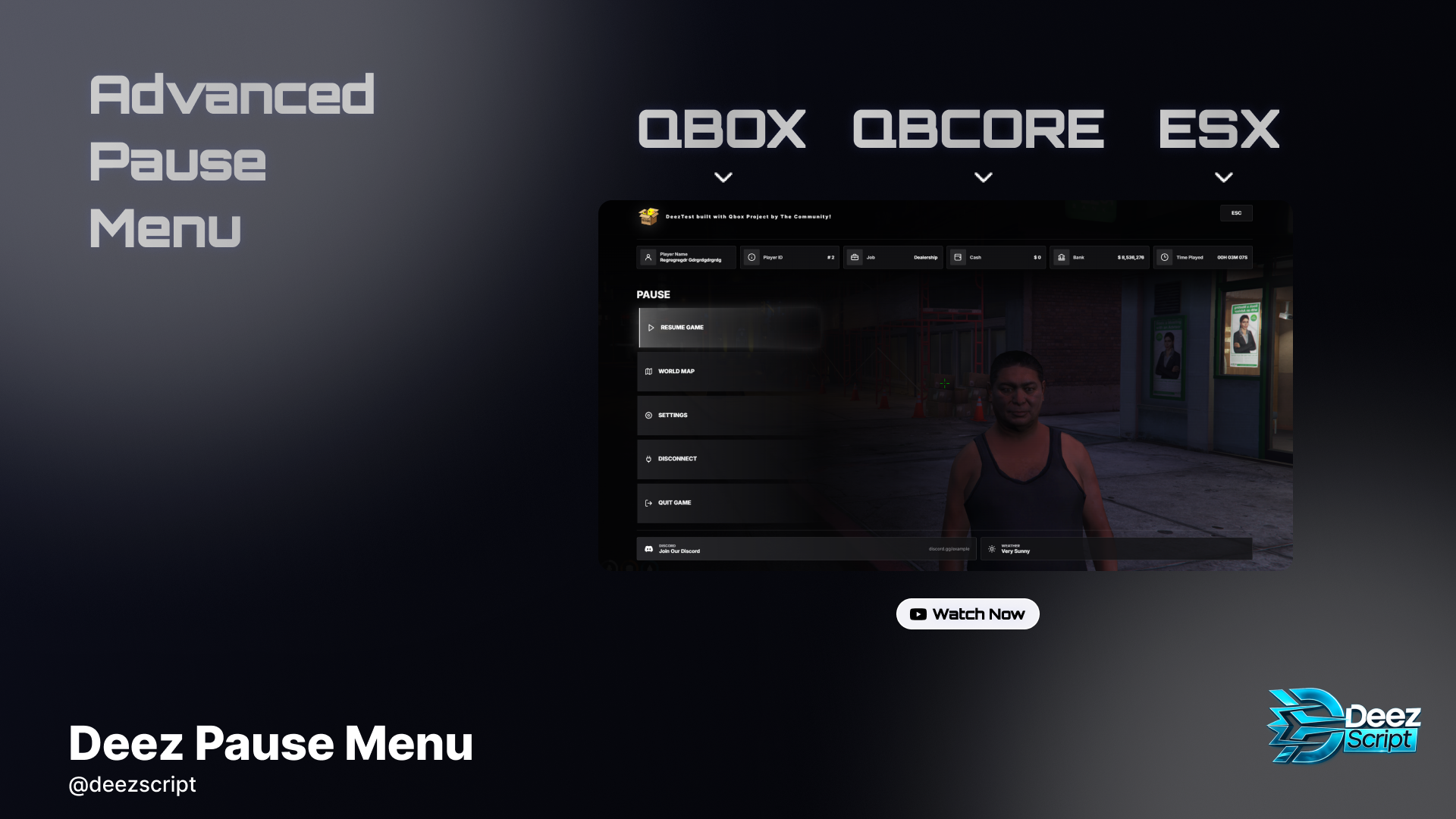
Deez Pause Menu | Modern FiveM ESC Menu | QBCore, Qbox, ESX & Standalone
Tebex Title
Deez Pause Menu | Modern FiveM ESC Menu | QBCore, Qbox, ESX & Standalone
Tebex Description
Deez Pause Menu is a modern, responsive, and highly configurable pause menu developed for FiveM servers. It replaces GTA V’s default pause menu with a clean interface customized for your server.
Players can view their character information, financial status, session playtime, current weather, and access important actions from a single menu.
Features
- QBCore support
- Qbox support
- ESX Legacy support
- Standalone support
- Automatic framework detection
- Modern and responsive user interface
- Player name and server ID
- Job information
- Cash and bank balance
- Current session playtime
- Current GTA weather
- Configurable character camera
- Quick access to the world map and settings
- Clickable Discord community card
- Disconnect and quit game actions
- Confirmation window for exit actions
- English and Turkish localization
- Customizable colors and server logo
- Configurable currency formatting
- Ability to show or hide individual information cards
- Protection against conflicts with inventories and other NUI interfaces
- Custom data adapters for modified frameworks
- No database required
- No mandatory external web service
- Escrow-ready structure
- Editable configuration, localization, and framework integration files
Customization
The following options can easily be changed through config.lua:
- Framework selection
- Language
- Server name and logo
- Discord URL
- Interface and hover colors
- Currency symbol and formatting
- Menu command and keybind
- Visible player information
- Character camera position, transition, and FOV
- Custom inventory and HUD checks
Requirements
There are no mandatory framework or database dependencies. When QBCore, Qbox, or ESX is active, player information is automatically retrieved from the selected framework.
Installation
- Place the resource inside your server’s
resourcesdirectory. - Configure the product through
config.lua. - Add
ensure deez-pausemenuto yourserver.cfg. - Start the resource after your framework.
Important Information
- Playtime represents the player’s current session and resets after reconnecting.
- The product may only be used by the original buyer or licensed server.
- Redistribution, resale, sharing, or unauthorized distribution is prohibited.
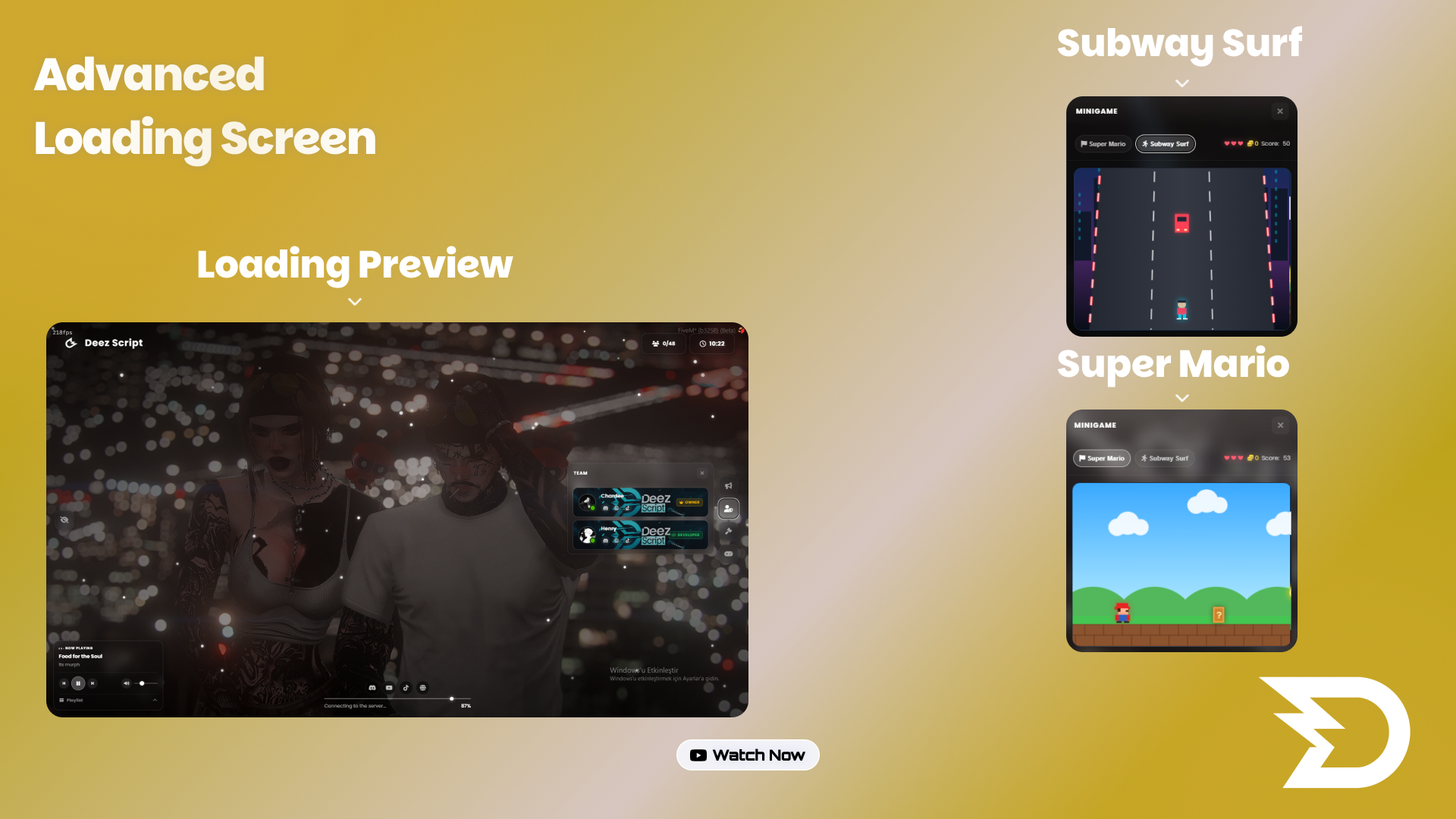
Advanced Deez Loading Screen V1 | 5 Themes
Give your FiveM server a premium first impression with Deez Loading Screen. Its modern interface, smooth animations, and interactive features transform loading time into an engaging experience that reflects your server's identity.
Key features:
- Live player and maximum slot counter
- Automatic rotating background gallery with a visibility toggle
- Music player with playlist, volume, previous/next, and play/pause controls
- Playable Super Mario and Subway Surf minigames
- Score, lives, and collectible coin systems
- News, team, and server rules panels
- English and Turkish language support
- Five included themes: Default, Christmas, Snow, Purple, and Emerald
- Snow and rain effects
- Easy configuration for your logo, server name, messages, team, and social links
- Progress bar connected to the FiveM loading process
- Responsive, performance-focused design
Installation is simple: add the resource to your server, place `ensure deez-loadingscreen` in `server.cfg`, and customize everything from a single `config.js` file.
Turn waiting time into a polished, entertaining introduction to your community with Deez Loading Screen.
Support: https://discord.gg/deezscript
Website: https://deezscript.com
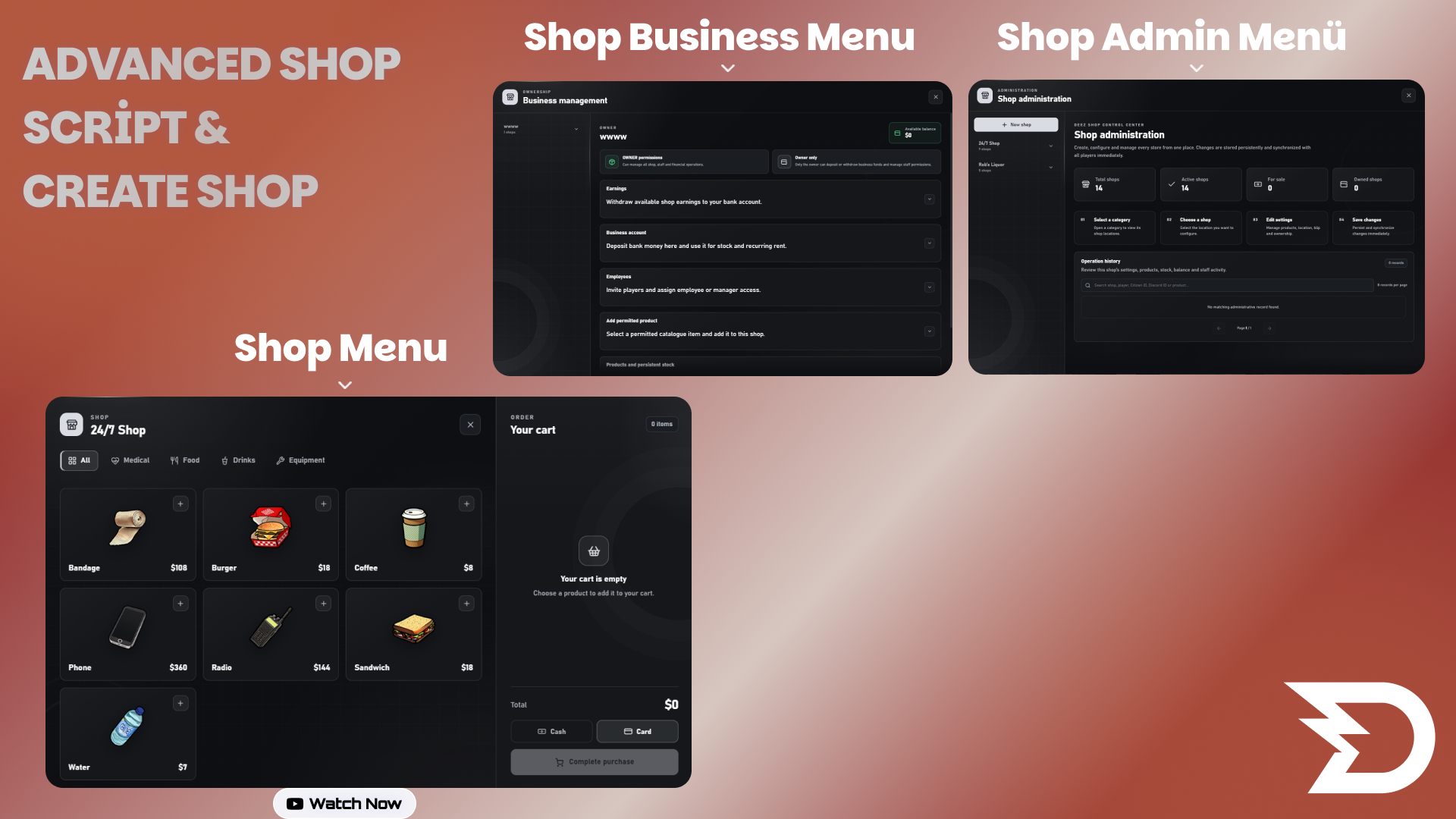
Deez Shop - Escrow | Advanced Shop Creator & Business Management | QBX, QBCore, ESX
Deez Shop is a complete shop creation, ownership and business management system developed for modern FiveM roleplay servers.
The system allows server administrators to create, edit and manage shops directly in-game without manually editing configuration files or restarting the server after every change.
Players can purchase available businesses, manage their products and stock, hire employees, control product prices, deposit or withdraw business funds and operate their shop through a detailed management interface.
All important financial and inventory operations are validated server-side. Product prices, quantities, player distance, permissions, shop ownership, available stock and payment transactions are checked by the server to help prevent event abuse, money exploits, item spawning and duplication attempts.
The interface is developed with React and designed to provide a clean, modern and responsive user experience.
MAIN FEATURES
• QBX, QBCore and ESX framework support
• Automatic framework detection
• Advanced in-game shop administration panel
• Create unlimited custom shops
• Edit existing shops without restarting the resource
• Configure shop name, type and location
• Custom NPC model and heading
• Enable or disable shop NPCs
• Target and TextUI interaction support
• ox_target and qb-target support
• Native TextUI fallback
• deez-textui support
• Custom TextUI integration support
• Configurable interaction distance
• Configurable management terminal
• Custom map blip settings
• Enable or disable individual shops
• Player-purchasable businesses
• Configurable business purchase prices
• Shop ownership system
• Maximum owned shop limit
• Business balance system
• Deposit and withdrawal management
• Product stock management
• Maximum stock limits
• Product wholesale prices
• Configurable sale prices
• Minimum and maximum pricing protection
• Configurable owner markup limits
• Employee hiring system
• Employee invitation confirmation
• Employee role management
• Employee removal system
• Owner and manager permissions
• Job-restricted shops
• Minimum job-grade requirements
• Recurring business rent system
• Owner online-playtime rent calculation
• Rent warning notifications
• Automatic ownership removal when rent cannot be paid
• Complete administrative operation history
• Player name, Citizen ID and Discord ID logging
• Optional Discord webhook logs
• English and Turkish language support
• Expandable locale system
• Modern React user interface
• Responsive shop and administration menus
• Server-side price validation
• Server-side stock validation
• Server-side distance validation
• Server-side permission validation
• Transaction rate limiting
• Protected purchase transactions
• Duplicate purchase protection
• Item delivery rollback protection
• Money and inventory exploit protection
• Persistent MySQL storage
• Clean first-install database structure
• Editable configuration and locale files
• Open-source and Asset Escrow editions
ADMINISTRATION PANEL
Administrators can create completely new shops while they are in-game. Shop coordinates, NPC settings, interaction type, products, prices, stock configuration, business purchase settings, map blips and job restrictions can be managed from one interface.
The administration panel also contains an operation-history section. Important changes are recorded with the responsible player's information, action type and timestamp.
PLAYER BUSINESS MANAGEMENT
Purchasable shops can be bought and operated by players. Business owners can manage their available products, stock levels, prices, employees and business funds through the shop-management terminal.
Product price limits and allowed catalogue items are controlled by the server configuration. This prevents business owners from adding unauthorized items or setting unsafe prices.
SECURITY
Deez Shop uses server-side validation for sensitive actions. The client cannot directly determine product prices, available stock, shop ownership, business balance or permission results.
Purchase requests are rate-limited and processed with transaction locks. Failed item delivery is safely handled to prevent refund and restock duplication exploits.
Administrative actions require valid framework permissions. QBX, QBCore and ESX administration groups are supported, with optional ACE and custom permission callbacks.
COMPATIBILITY
• QBX
• QBCore
• ESX
• ox_inventory integration
• ox_target
• qb-target
• ox_lib TextUI
• QBCore TextUI
• ESX TextUI
• deez-textui
• Custom target, notification, inventory and TextUI integrations
• oxmysql
LANGUAGES
• English
• Turkish
Additional languages can be added through the locale files.
REQUIREMENTS
• FiveM server
• oxmysql
• A supported framework: QBX, QBCore or ESX
• A compatible inventory resource
• Optional target or TextUI resource depending on your configuration
PACKAGE OPTIONS
OPEN SOURCE
The Lua files and production React UI files are accessible and editable. The React production files are provided in readable, non-minified form.
ASSET ESCROW
Core client and server Lua files are protected using FiveM Asset Escrow. Configuration and locale files remain editable.
Important: FiveM Asset Escrow does not support NUI encryption. The included UI is provided as a production React build.
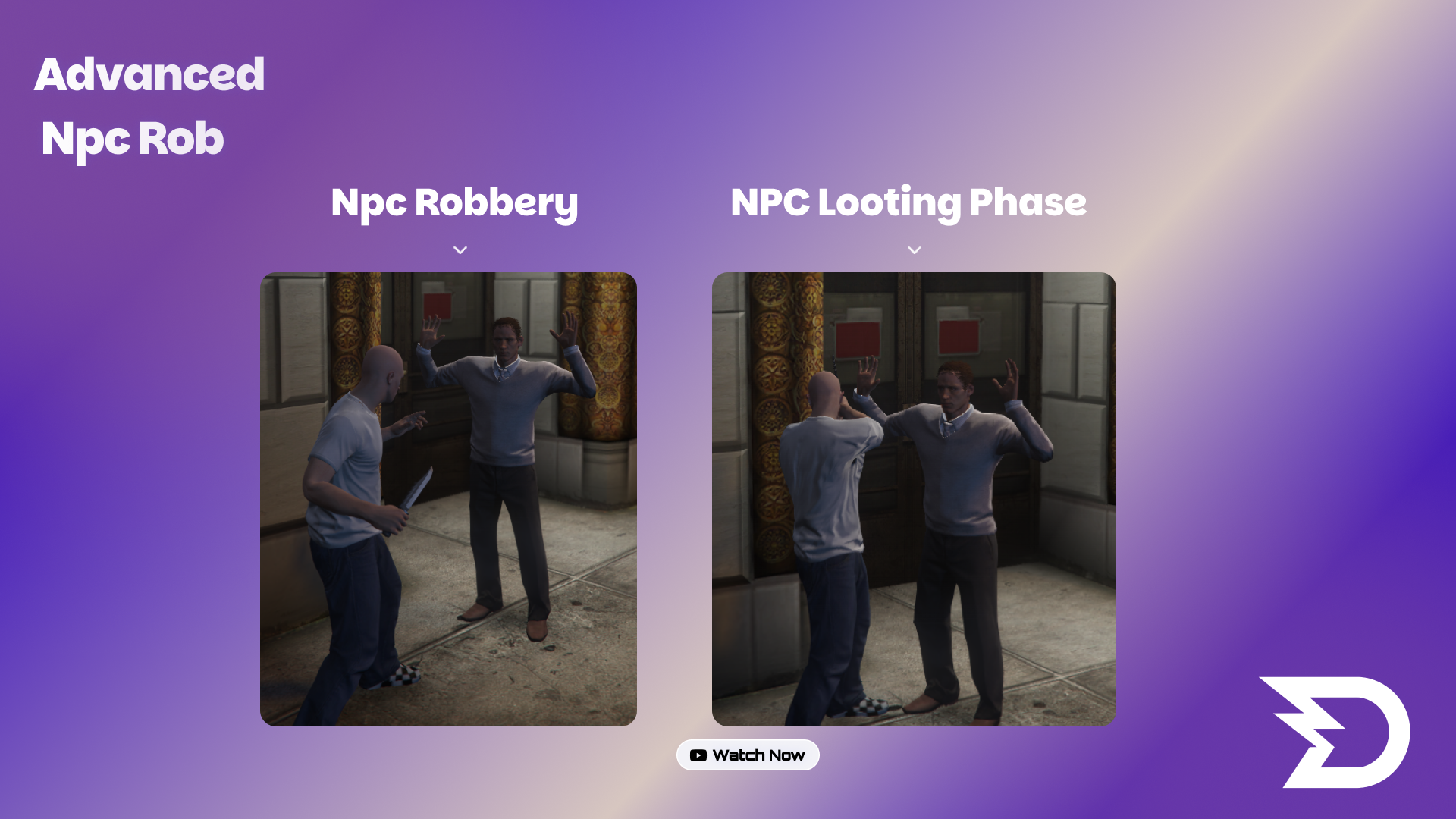
Deez NPC Robbery – Premium QBCore NPC Robbery System
Deez NPC Robbery is a premium and immersive NPC robbery resource developed for QBCore FiveM servers.
Players can threaten local NPCs using firearms or melee weapons. NPCs may surrender, flee, notify the police or fight back using firearms, knives and fists.
After eliminating an attacking NPC, players can search the body using a dedicated animation and receive additional configurable rewards.
FEATURES
• Premium NPC robbery system
• Firearm and melee weapon support
• Unarmed robbery prevention
• Dynamic NPC surrender behavior
• Firearm, knife and fist retaliation
• Searchable defeated attackers
• Dedicated body-search animation
• Configurable money and item rewards
• Configurable robbery cooldowns
• Area-based NPC reactions
• Police requirement support
• Police dispatch integrations
• Synchronized NPC animations
• Custom NUI progress interface
• Discord webhook logging
• Server-side security validation
• Duplicate reward protection
• English and Turkish language support
• Optimized performance
• Detailed configuration file
• Installation documentation
FRAMEWORK
• QBCore
TARGET SUPPORT
• ox_target
• qb-target
DISPATCH SUPPORT
• ps-dispatch
• qb-dispatch
• Custom dispatch
• Dispatch disabled option
INVENTORY SUPPORT
• ox_inventory
• QBCore inventory-compatible rewards
IMPORTANT INFORMATION
• This is a paid digital product.
• Redistribution or resale is strictly prohibited.
• One purchase is intended for one server owner/customer.
• Dependencies must be installed separately.
• Support is provided through our Discord server.
• Please review the requirements before purchasing.
REQUIREMENTS
• qb-core
• ox_target or qb-target
• OneSync recommended
• Optional compatible dispatch resource